Beating Vegas - NBA Prop Bet Simulator
Team Members
- Me
- Joey Perkins — e-Portfolio Link
- Trenton Harris — e-Portfolio Link
.jpg)
Project Overview
Beating Vegas is a Java web application that analyses NBA player prop bets using Monte Carlo Simulation. The app pulls live prop lines from major sportsbooks via the Odds API, runs 10,000 simulations per prop using a full season of NBA game-log data and surfaces the edge. The edge to clarify is what the true probability is and what the sportsbook is implying through their odds.
The app has two modes: an Auto Parlay Builder that fetches live lines and automatically builds the optimal parlay sorted by edge, and a Custom Prop Analyzer where the user can enter their own line and odds for any player and see the simulated probability and edge vs the book.
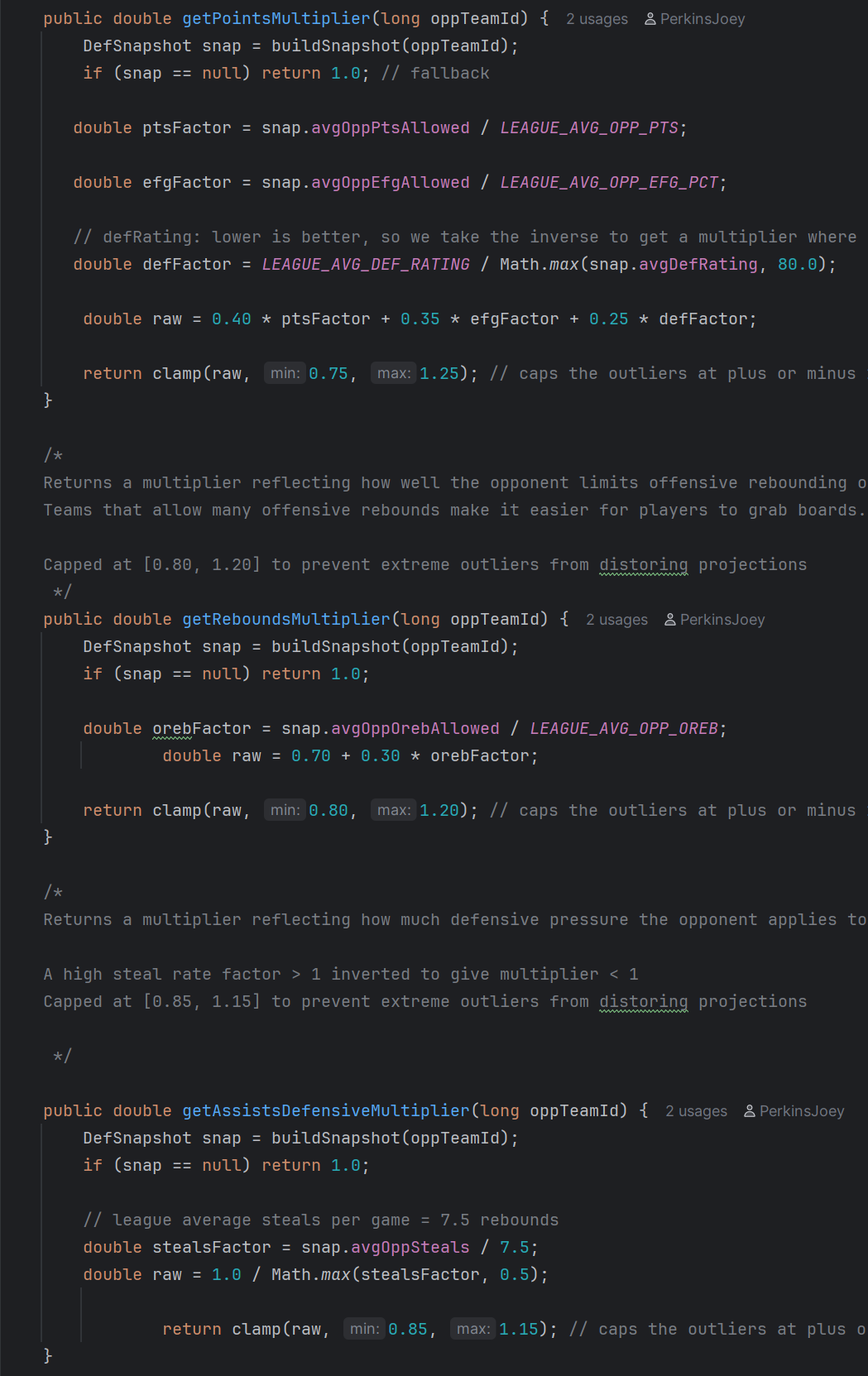
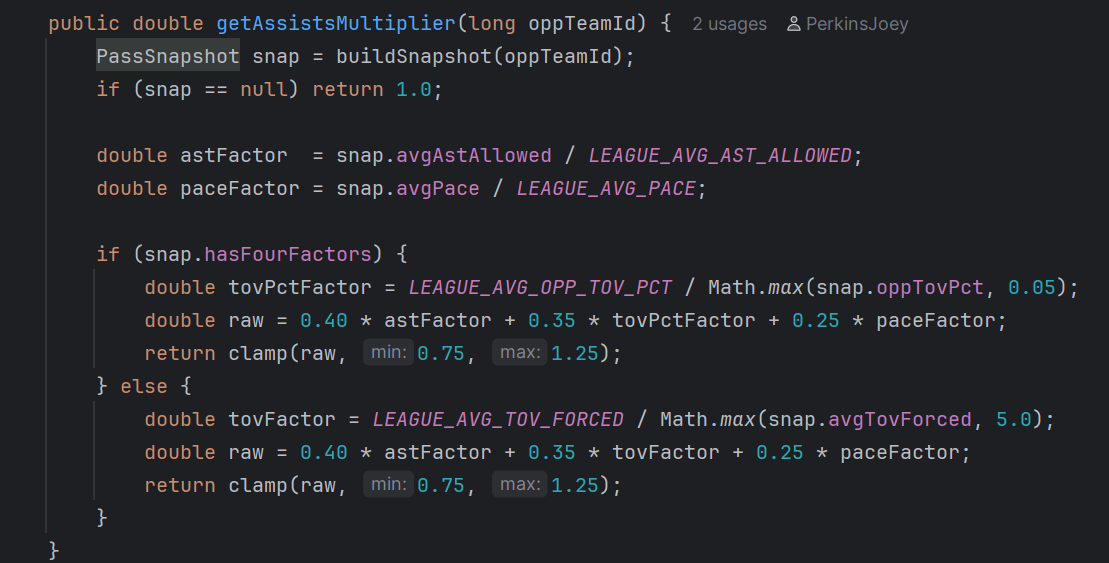
My role on the project was building the java classes under MGWork. The following categories that were developed under my classes were the multipliers for the adjusted points, rebounds, and assists calculations. Code that I didn’t work on specifically was the engine for the Monte Carlo simulation, the data loading pipeline, and the Vaadin interface that you will see below.
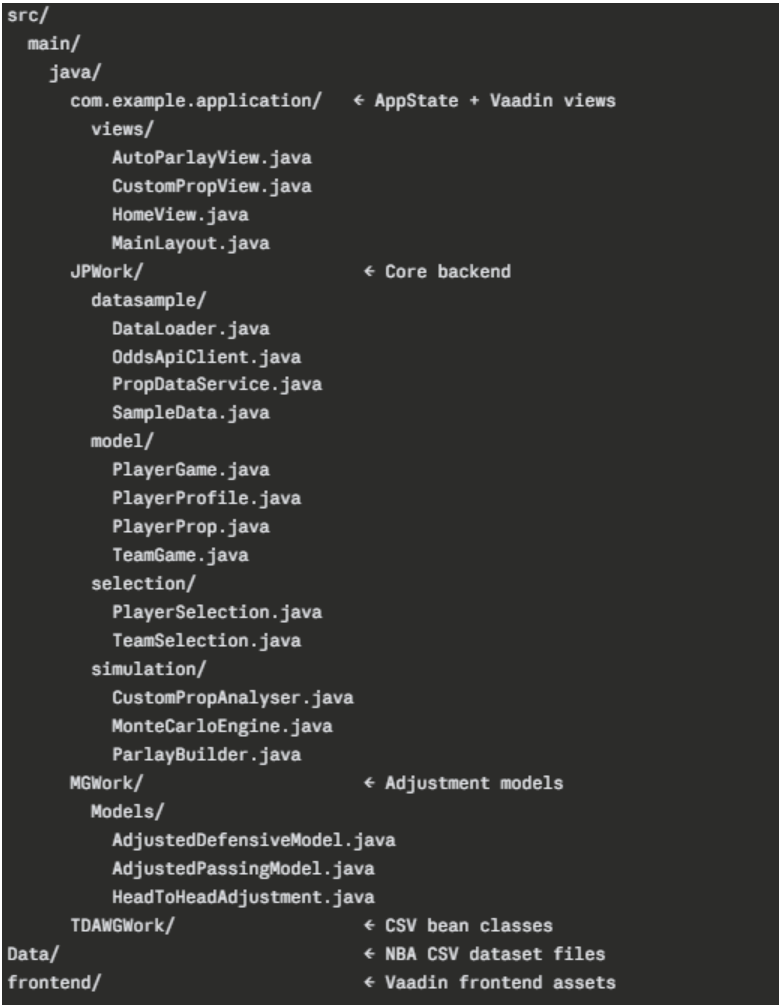
Project Structure
The project uses Gradle for build management with a standard src/main/java layout.
Key Code
They following 2 screenshots of code are just little snippets of the calculations made for the Custom Prop Analyser to base it’s hit percentage off of. How the Custom Prop Analyser does this is by using the calculated adjusted values and putting them into the same kind of Monte Carlo simulation that was used in the Auto Parlay Builder.
Vaadin Interface
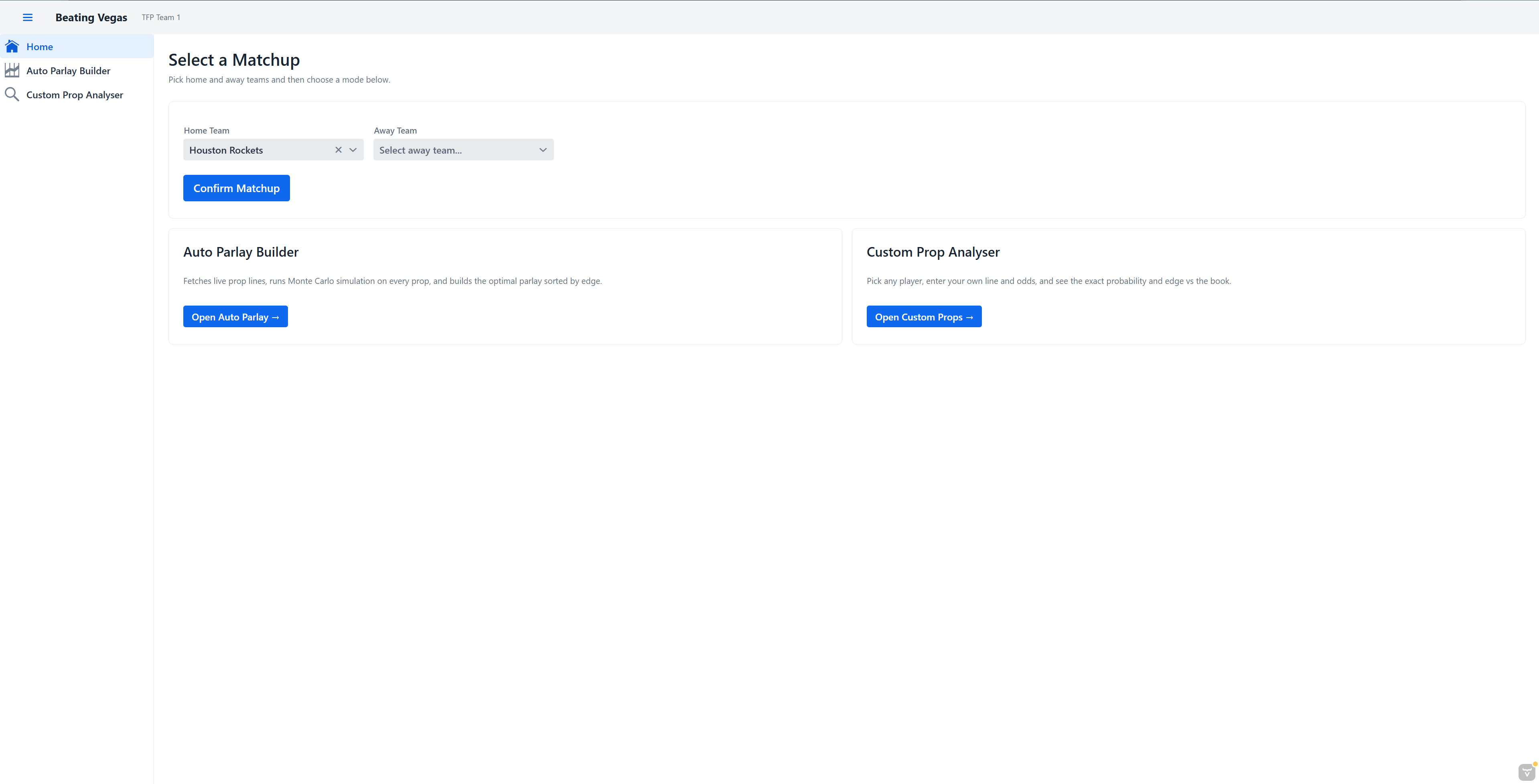
HomeView is the landing page. The user picks a home team and an away team from dropdowns populated from the loaded NBA data, then hits Confirm Matchup. The two selected teams get saved into the Vaadin HTTP session — server-side storage tied to the user’s browser — so they’re accessible from every other page without the user having to re-select them. Below the selector are two navigation cards that route to the two main modes of the app.
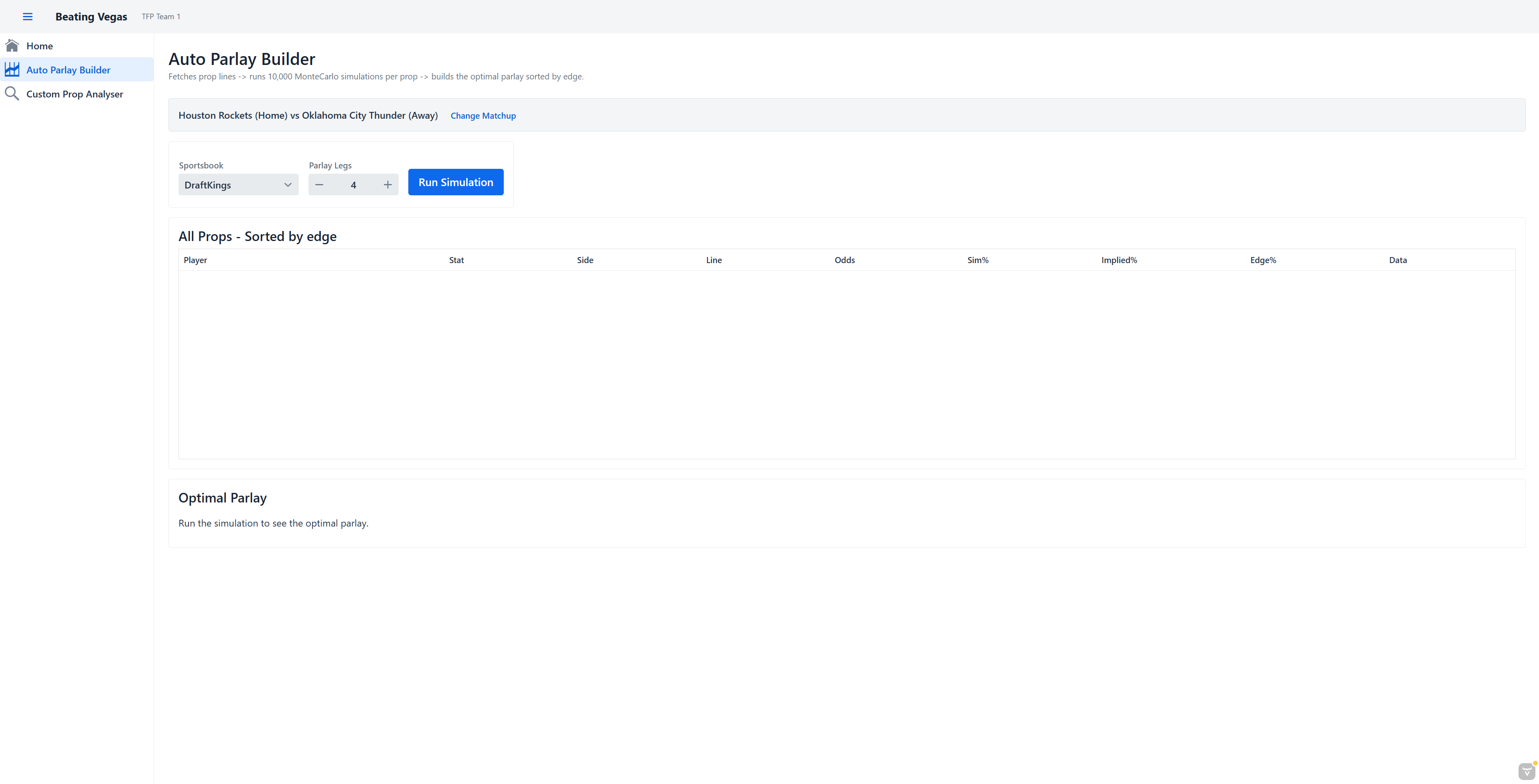
AutoParlayView is the fully automated mode. The user picks a sportsbook and how many parlay legs they want, then hits Run Simulation. The app calls the live Odds API to pull real prop lines for tonight’s game, runs MonteCarloEngine on every prop, and populates a grid sorted by edge showing Player, Stat, Side, Line, Odds, Simulated Probability, Implied Probability, and Edge. Below the grid it builds the optimal parlay from the top positive-edge props and displays the combined odds, expected value, hit probability, and a verdict — Would Suggest, Borderline, or Risky.
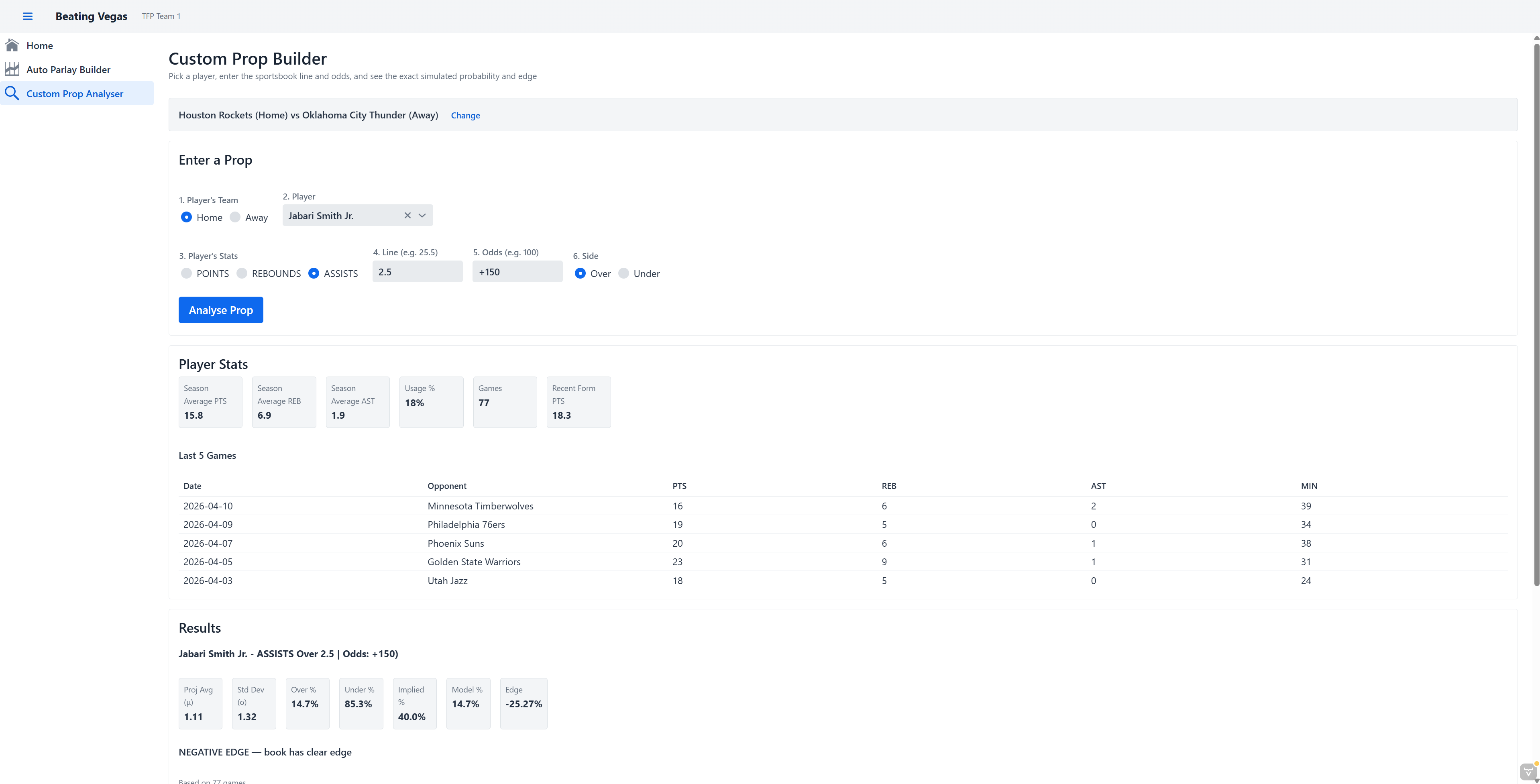
CustomPropView is the manual mode. The user selects a player from the matchup roster, and the page immediately shows that player’s season averages, usage rate, and last five games so they have context. They then enter their own line, odds, and side. Hitting Analyse Prop runs the same full Monte Carlo pipeline and displays the projected mean, standard deviation, over and under probabilities, implied probability, model probability, and edge. Every analysed prop is saved in a session history grid, and the user can feed any number of them into a custom parlay builder at the bottom of the page.
GitHub Repository View Source Code